
Weather data & microclimate :
Weather UndergroundWeather
4.7162.43K Reviews
- Version
- 6.20.1
- Installs
- 10.00M
- Age Rating
- Everyone
Screenshots
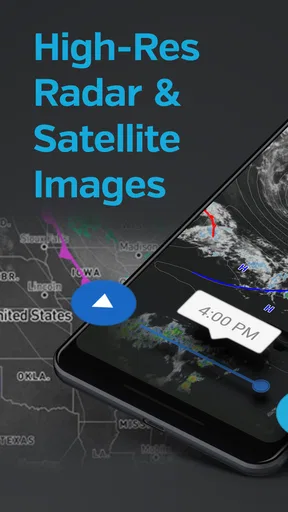
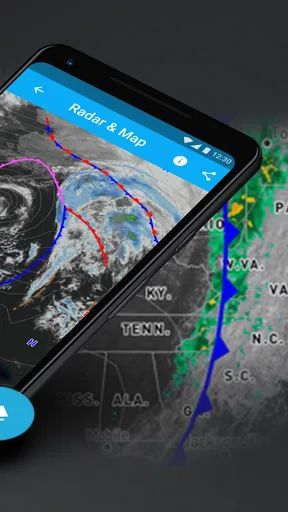
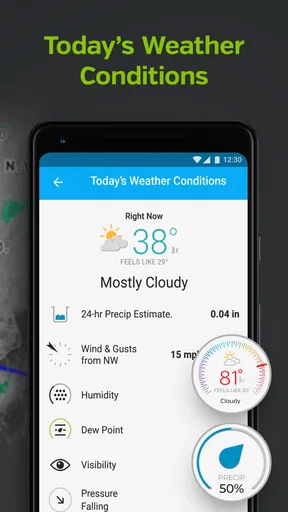
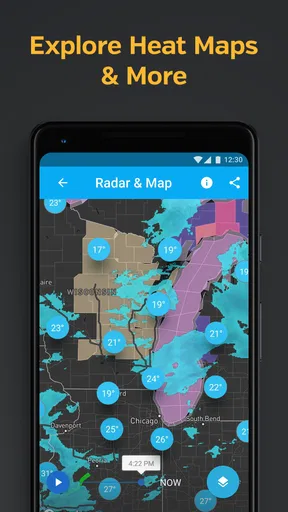
Our Review of Weather data & microclimate :
 Analysis by Appyee
I often check the weather more than once before leaving home, not because I enjoy forecast screens, but because a broad city forecast can miss what is happening on my street or at the other end of town. That repeated check is the small nuisance Weather data & microclimate is meant to reduce: it puts local conditions, maps and radar in one place so I can make a quicker call about a walk, commute or outdoor plan.
This is a free weather app from Weather Underground, and its focus is more practical than flashy. It has a 4.8 average from around 611,000 ratings, and has passed 10 million installs. Those figures suggest it has found a broad audience, but what matters to me is whether the local view saves time without making a simple forecast feel like a research project.
Why a local forecast can save a second check
Most weather apps are good at answering the broad question, “What will the weather be like today?” The harder question is whether it will rain where I am, or whether conditions will change along the route I actually plan to take. A hyperlocal tracker and weather maps make that more manageable, especially when conditions vary across neighborhoods.
I still treat any forecast as guidance rather than a promise. Local detail is most useful when it changes a decision: whether to carry a light jacket, move a walk earlier, or check the route before setting out. If I only need a quick temperature glance, a basic forecast widget may be faster. When the weather looks unsettled, though, having radar and map views nearby can save me from bouncing between several apps.
First Impressions
From the moment I downloaded the app, I was impressed by its sleek and user-friendly interface. It's not one of those overwhelming apps that bombard you with data you don't need. Instead, it focuses on providing the essentials, and it does so beautifully. The layout is intuitive, making it easy to navigate through various features without getting lost in a sea of information.
Detailed Weather Insights
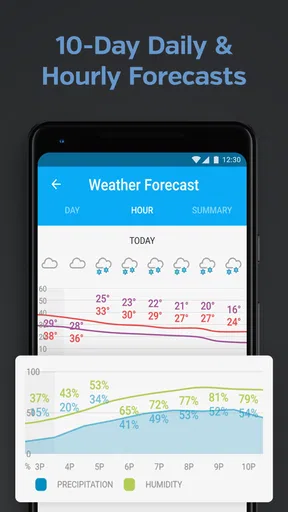
One of the standout features of Weather data & microclimate is the detailed weather insights it offers. Whether you're planning your week or just need a quick glance at the day ahead, the app has got you covered. It provides a comprehensive 7-day forecast, complete with temperature highs and lows, precipitation chances, and wind speeds. The information is clear and concise, which I appreciate since I don't want to spend ages deciphering weather jargon.
What's more, the app offers real-time updates. This means you can count on it to inform you of sudden weather changes—perfect for those who live in areas with unpredictable climates.
Set it up for the decisions you make
For a useful first setup, I would start with the location I check most often, then add other places only if I genuinely travel between them. Too many saved locations can make a quick check slower rather than better. If you split your week between home and work, keeping both handy gives the forecast a practical purpose; if you rarely leave your neighborhood, one location may be enough.
It also helps to decide what you want the app to answer before exploring every screen. For a commute, wind and precipitation may matter more than a week of detail. For a weekend hike, checking the map and the forecast before leaving is a better habit than relying on a single glance at the current conditions. I would avoid treating an alert as a substitute for checking the forecast yourself when the plan has real consequences.
Microclimate Tracking
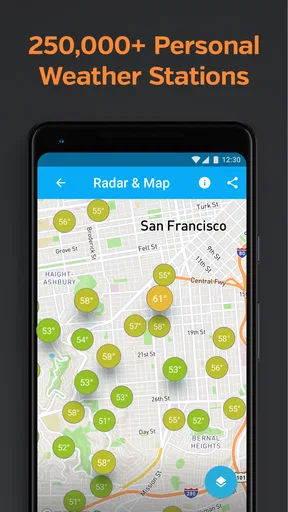
Here's where the app truly shines. The microclimate tracking feature is incredibly helpful. It uses advanced technology to give hyper-local weather forecasts. So, if you’re in a large city with varying weather conditions across different neighborhoods, this app has you covered. It’s like having a mini weather station tailored to your exact location.
I found this particularly useful during a recent hike. The app alerted me to a sudden temperature drop, allowing me to adjust my plans accordingly. Honestly, it felt like a lifesaver.
Where the local detail pays off
On an ordinary weekday, I might check the conditions before walking to a bus stop, then look again before heading home if the sky has changed. The benefit is not that the app removes uncertainty; it gives me a nearby point of reference so I can decide whether to bring a layer or leave earlier. For an outdoor plan, I would compare the forecast with the map instead of assuming one location represents the whole route.
This is especially useful for people who spend time outdoors, commute across a spread-out city, or regularly coordinate plans with family in another part of town. It is less compelling for someone who only wants a simple “sunny or rainy” answer. A forecast built around local detail earns its place when that detail affects what you do next.
Additional Features
Beyond the basics, Weather data & microclimate offers a range of additional features that enhance its utility. Here are a few that I found particularly interesting:
- Weather Alerts: Set up notifications for severe weather conditions, ensuring you’re never caught off guard.
- Customizable Widgets: These allow you to access weather data directly from your home screen without even opening the app.
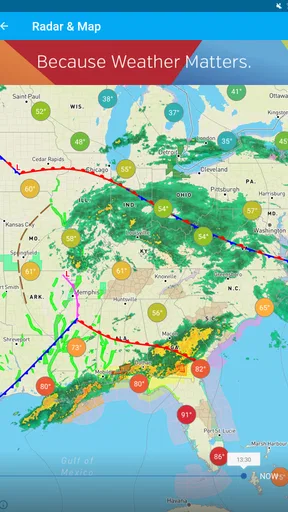
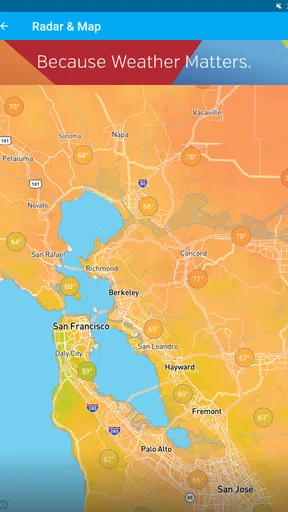
- Interactive Maps: Perfect for visual learners, these maps provide a graphical representation of weather patterns and conditions.
Using alerts and maps without overchecking
Alerts are most helpful when they are reserved for conditions that could change a plan. If every possible notification is enabled, the phone can become noisy and the important warning is easier to overlook. I would choose the alerts that matter to my routine, then use the app itself when I want more context. A notification is a prompt to check, not a guarantee that every street will experience the same conditions.
The map is useful in a different way: it gives a visual sense of where weather is moving, rather than asking me to interpret a string of numbers. I would use it when rain looks close or when deciding whether an outdoor errand can wait. For a quick glance while getting dressed, a widget is more convenient; for a decision involving timing or distance, opening the full map is worth the extra tap.
User Experience
On the whole, using the app felt like a breeze. It's fast, responsive, and devoid of annoying ads that plague so many free apps. The developers clearly focused on creating a seamless experience, and it shows. I also appreciated the thoughtful little touches, like the ability to switch between light and dark modes, which is easier on the eyes during late-night checks.
One small gripe I had was that the app sometimes took a few extra seconds to update the weather data when switching locations. However, considering the wealth of information it provides, this is a minor inconvenience.
How it compares with simpler weather apps
Compared with the usual weather app that places a current temperature and a short forecast front and center, this one makes more sense when I want to investigate local variation. Radar and maps can answer a different question from a forecast card: not just what is expected, but what weather appears to be doing nearby. That extra context is useful, although it can be more than I need on a calm, predictable day.
If speed is the only priority, the built-in weather option on a phone may be enough. If I am planning around a changing sky, or checking more than one location, I would rather have a dedicated app with maps and local tracking. I would not choose it solely for the most minimal interface, and I would not rely on a weather app alone for decisions where official emergency guidance is important.
Practical details and trade-offs
The app is rated for Everyone and is free to download, with optional in-app purchases listed from $1.99 to $19.99 per item. The current version is 6.19.1, and it supports Android 8.0 and later. I would begin with the free experience and only consider a purchase if a particular paid option solves a need I actually have; there is little value in paying for extras before knowing whether the local forecast and maps fit my routine.
It is also worth keeping expectations realistic about location-based forecasts. A hyperlocal view can be more relevant than a citywide summary, but it cannot make weather perfectly predictable. When the forecast changes between checks, I see that as a reason to revisit a plan rather than proof that the app is useless. The app is a good companion for everyday choices, not a replacement for judgment or a promise of exact conditions.
Who will get the most from it
I would recommend it most to someone who walks, cycles, hikes, works outdoors, or moves between neighborhoods often enough for local differences to matter. It also suits people who like to see weather on a map instead of relying only on brief text summaries. The combination of a forecast, radar and location tracking makes it easier to make a decision without opening several separate tools.
On the other hand, if you rarely check anything beyond the day’s high temperature, a simpler app or a home-screen glance may be a better fit. Someone who dislikes notifications should be selective with alerts, and anyone who finds maps distracting can stick to the forecast view. The app offers more context than a bare-bones weather screen, but that extra context is only useful if you will actually consult it.
Final Thoughts
In a world where accurate and timely weather information can make or break your day, the Weather data & microclimate app stands out as a reliable companion. It’s not just another weather app; it’s a detailed, user-friendly tool that helps you stay one step ahead of the elements. Whether you're a weather enthusiast or someone who simply wants to avoid getting drenched, I highly recommend giving it a try. Trust me, you won't be disappointed.
Privacy and Permissions
See what permissions an app requests and how it handles your data.
- Device & app history
- retrieve running apps
- Location
- approximate location (network-based), precise location (GPS and network-based)
- Wi-Fi connection information
- view Wi-Fi connections
- Other
- view network connections, full network access, prevent device from sleeping
Verdict
Strengths of Weather data & microclimate :
- Accurate local forecasts for precise planning.
- User-friendly interface with intuitive navigation.
- Real-time weather updates and alerts.
- Customizable weather notifications.
- Detailed radar maps for better visualization.
Limitations of Weather data & microclimate :
- Limited offline functionality.
- Ads can be intrusive at times.
- Some features require a subscription.
- Occasional delay in data updates.
- Battery usage can be high.
Similar Picks in This Category
View All
Weather - By Xiaomi
Xiaomi Inc.4.1

Weather & Radar Forecast
WetterOnline4.8

Weather
OneLouder Apps4.6

AccuWeather: Weather Radar
AccuWeather3.6

The Weather Channel - Radar
The Weather Channel4.6

1Weather Forecasts & Radar
OneLouder Apps4.3
You May Also Like
View All
Frequently Asked Questions
What features does the Weather Data & Microclimate app offer?
The Weather Data & Microclimate app provides real-time weather updates, detailed forecasts, severe weather alerts, and microclimate insights. Users can access interactive maps, radar images, and personalized weather notifications. The app also offers information on humidity, wind speed, air quality, and UV index, making it a comprehensive tool for weather enthusiasts.
Is the Weather Data & Microclimate app free to use?
The app offers a free version with basic features such as daily forecasts and weather alerts. However, for more advanced features like detailed microclimate data, interactive maps, and an ad-free experience, users may need to subscribe to a premium version. Pricing details can vary, and in-app purchases may also be available.
How accurate is the weather information provided by the app?
The Weather Data & Microclimate app sources its data from reliable meteorological organizations and uses advanced algorithms to ensure high accuracy. While no weather app can guarantee 100% precision, this app is known for its precise updates and detailed microclimate insights, providing users with dependable weather forecasts and alerts.
Can I customize the notifications in the Weather Data & Microclimate app?
Yes, the app allows users to tailor notifications based on their preferences. You can set alerts for severe weather conditions, temperature changes, or specific weather phenomena like rain or snow. Customizing notifications ensures you receive timely updates that are relevant to your location and needs.
Is the Weather Data & Microclimate app available for both Android and iOS?
The app is available for download on both Android and iOS platforms. Users can find it on the Google Play Store and the Apple App Store. Ensure your device meets the minimum operating system requirements to install and use the app effectively, and check for regular updates to access new features and improvements.
